Introduction
Those are the gone days when businesses used to use traditional automation like auto routing tickets and used to feel like they are very advanced.
Well 2026 has totally changed the scenario of business workflow automation now.
From customer support and lead generation to project management and data processing, AI workflow automation tools can now manage everything mostly without human supervision.
Which is why businesses are asking not “should we automate?” They are asking, “What AI automation tool integrates best into our workflow?
From startup founder to marketer, developer or enterprise team, automation can help boost productivity and growth exponentially even though choosing a perfect automation platform is always challenging.
In this article, we are going to discuss some of the best AI workflow automation tools for 2026 that are enabling organizations to be faster, smarter with far fewer says on the line of “Did somebody remember to do this?” moments.
What is AI Workflow Automation?
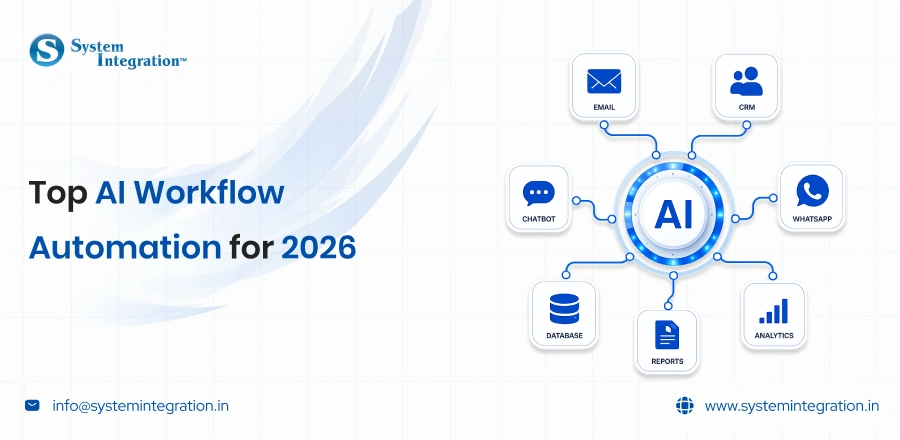
AI workflow automation refers to the process of automating business processes with artificial intelligence and automation tools, performing repetitive tasks automatically without human involvement. Traditional automation follows fixed rules like “If this do that”.
This is where workflow automation takes it a step further. It can:
➜ Analyze data
➜ Make decisions
➜ Understand human language
➜ Predict outcomes
➜ Adapt workflows intelligently
For example:
1) AI can automatically prioritize customer support tickets based on urgency.
2) You may train your sales workflows to qualify leads.
3) AI models can be used to screen resumes through HR systems.
4) Real-time personalization of marketing campaigns with the help of marketing tools.
combination of technologies used are:
⤷ Artificial Intelligence (AI)
⤷ Machine Learning (ML)
⤷ Natural Language Processing (NLP)
⤷ APIs and integrations
⤷ Robotic Process Automation (RPA)
Essential Features of AI Workflow Automation Tools
No-Code or Low-Code Interface
Modern automation tools enable users to visually create workflows without requiring sophisticated programming knowledge to do so. This opens the way not only for technical teams but also for everything that has to do with non-technical automation.
AI-Powered Decision Making
Here are some of the key AI capabilities to look for in tools:
- Predictive analytics
- Smart recommendations
- AI agents
- Natural language processing
Integration Support
An automation platform should easily integrate with tools like:
- CRM software
- Email platforms
- Slack
- ERP systems
- Databases
Real-Time Monitoring and Analytics
Why workflows are crucial for businesses’ visibility. You are familiar with the tracking metrics using reporting dashboards and analytics tools for monitoring efficiency and finding bottlenecks.
Security and Compliance
Data security is essential in regard to enterprise workflows. Seek Out Compliance and Security-Enabled Tools
Scalability and Customization
As time passes, your automation needs will increase. An advanced workflow and support for future scaling should be provided by the right platform.
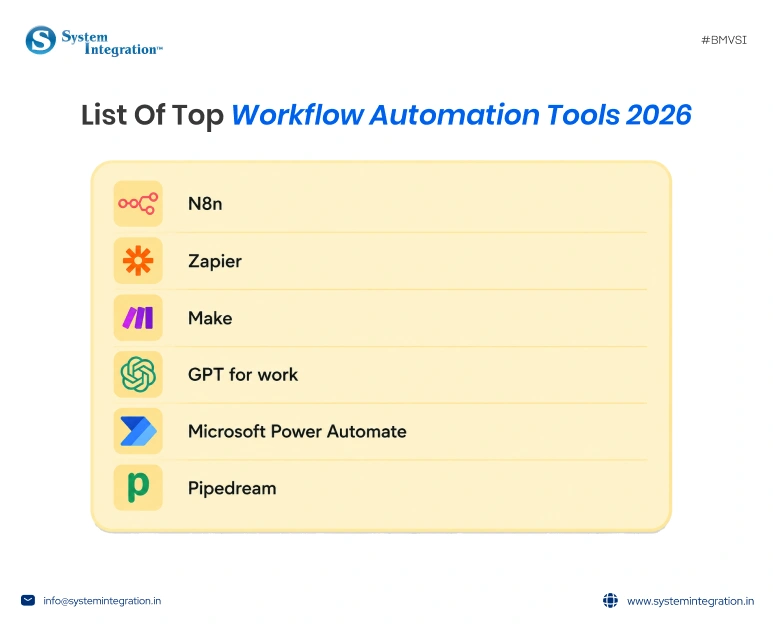
List of Top Workflow Automation Tools
n8n
Good for: Businesses and developers who want flexible, AI-powered workflow automation with custom integrations.
Pricing: There is a free, self-hosted plan and paid cloud plans that start at a reasonable price per month.
The best part: Open source flexibility with advanced workflow customisation.
n8n is one of the most powerful workflow automation tools for businesses that need to have complete control over their automation processes. It enables users to connect apps, automate repetitive tasks and develop complex workflows without having to be heavily involved in coding.
What makes n8n automation service different is its AI and developer-friendly approach. From lead management to customer support automation, it helps teams automate workflows while keeping full customisation and scalability in hand.
Zapier
Good for: Small businesses, marketers, and non-technical teams.
Pricing: Free plan available, premium plans based on tasks and integrations.
The best part: Extremely easy setup with thousands of ready-to-use app integrations.
Zapier is one of the most beginner-friendly automation tools available today. It helps users automate tasks between apps like Gmail, Slack, Google Sheets, HubSpot, and many more without requiring technical knowledge.
Its biggest advantage is simplicity. Users can create automations in minutes using pre-built templates, making it ideal for teams that want quick productivity improvements without complex configurations.
Make
Good For: Businesses looking for visually stunning workflow automation
Pricing: Free plan with scalable paid plans.
The best part: It has a visual drag-and-drop feature + powerful automation options
Make is well known for its visually rich automation interface, enabling visual flow design of complex workflows. Advanced logic, filters, routers, and multi-step automations for all your business needs.
Make is more visually flexible when compared to a lot of automation platforms. It is useful mainly for those businesses that have multiple large-scale operations, data processing and multi-platform integrations.
GPT for work
Goof for: Teams utilising AI within spreadsheets, docs & routine office workflows.
Pricing: Free to demo, subscription-based plans.
The best part: Add AI automation directly into Google Sheets and Excel tools.
GPT for Work assists companies with all facets of new content generation, data processing and summarization, as well as AI-powered office jobs directly in familiar workplace software. Its popular applications are mostly around marketing, operations, and reporting workflows.
If you want to integrate AI capabilities seamlessly into your day-to-day work but not build any complex systems, this platform is indispensable. Automating repetitive content and spreadsheet tasks will save time.
Microsoft Power Automate
Good for: Businesses already using the Microsoft ecosystem, such as Office 365 and Teams.
Pricing: Paid plans with enterprise-ready pricing options.
Best Part: Easy Integration With Microsoft Products and enterprise workflows.
Microsoft Power Automate allows organizations to automate tasks between various Microsoft applications and services. They are widely used for getting approvals, notifications, document management and Enterprise workflow automation.
The platform is more suited to companies with a strong embrace of Microsoft tools. It provides solid enterprise features, but compared to n8n, its customisation and flexibility are more limited for advanced automation use cases.
Pipedream
Good for: Developers and technical teams building API-driven automations
Pricing: Usage-based paid plans with a free tier
The best part: Effective API integrations with code level customization on it.
Pipedream is a workflow automation platform tailored primarily for developers requiring rapid API connections, backend task automation, and the creation of event-driven workflows. Supported Languages and Integrations: JavaScript, Python, and hundreds of app integrations for your automation.
This is an advanced tool mainly used for automation of technical tasks and Serverless Workflows. But many companies might find it harder to get used to using for visual control (for example, working with various departments across the company in creating automations) compared to n8n.
How To Select The Right AI Workflow Automation Tool
- Size of Business
- Small businesses may prefer easy-to-use no-code platforms, whereas enterprises often require advanced workflow orchestration and security features.
- Technical Knowledge
- Some are for beginners, some for developers and IT teams.
- Budget
- Automation tools range in price from affordable subscription plans to enterprise-level pricing. Think ROI, not just upfront costs.
- Requirements for Integration
- The platform should integrate seamlessly with your existing software ecosystem.
- Complexity of Workflow
- Basic automation may suffice for simple workflows, but complex operations could demand AI agents and multi-step orchestration.
Winding Up Thoughts
From customer support and lead generation to project management and data processing, AI workflow automation tools can now manage everything mostly without human supervision.
In this article, we have discussed the top AI workflow automation tools that can help boost your business efficiency up to 3x. For this objective, partner with an experienced AI workflow automation software provider that can smoothly integrate tools into your existing system and help it scale.
FAQs
Yes, GPT for work, n8n and many more tools allow you to drag and drop, which allows you to set the workflow automation even when you don’t know coding.
AI workflow automation tools like Zapier, Make, and n8n automate team processes, trigger-action flows that move data between apps. Personal AI assistants are built for the individual; they build a model of the person over time and act autonomously on their behalf.
Yes. A number of AI automation tools are scalable and can be personalised to cater to SMB budgets and operations, offering good ROI even on a smaller scale.
Focus on the apps you already use. If you heavily rely on Microsoft, use Power Automate. If you want to connect a variety of SaaS apps easily, use Zapier or Make. For custom web tasks, consider tools like Gumloop.