
0%
improvement in inventory update time
0%
reduction in manual calculation errors
0%
reduced stockout incident
0x
faster data entry speed
Immediate
low-stock visibility
PROJECT OVERVIEW
The Inventory Tracker Bot is an automated stock m
Management system built using n8n that records stock movements, updates inventory totals, tracks damaged items, and sends low-stock alerts in real time.
Designed for skincare product businesses, this automation eliminates manual stock tallying and ensures inventory data remains accurate, structured, and instantly updated.
Objectives
- Automate stock movement tracking
- Maintain real-time inventory accuracy
- Reduce manual errors in stock calculations
- Track damaged inventory separately
- Trigger instant low-stock alerts
- Improve operational efficiency for warehouse teams
The Challenge
Manual inventory management often leads to:
For fast-moving skincare products, these inefficiencies can cause stockouts, lost sales, and operational confusion.
THE SOLUTION ARCHITECTURE (HOW DOES IT WORK?)
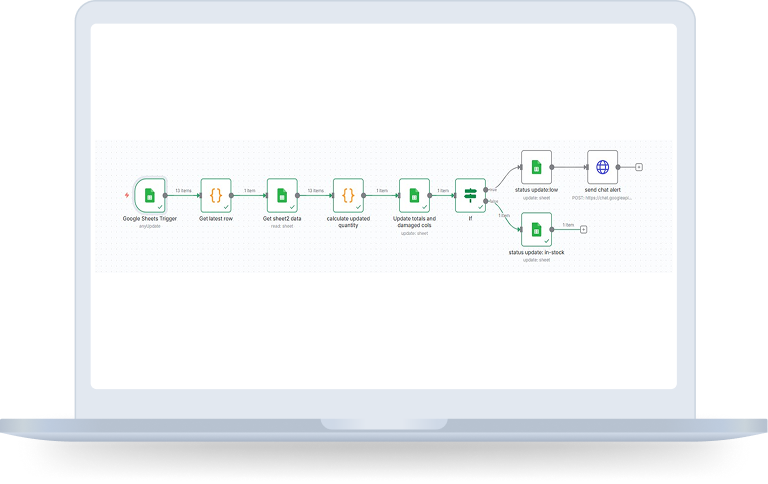
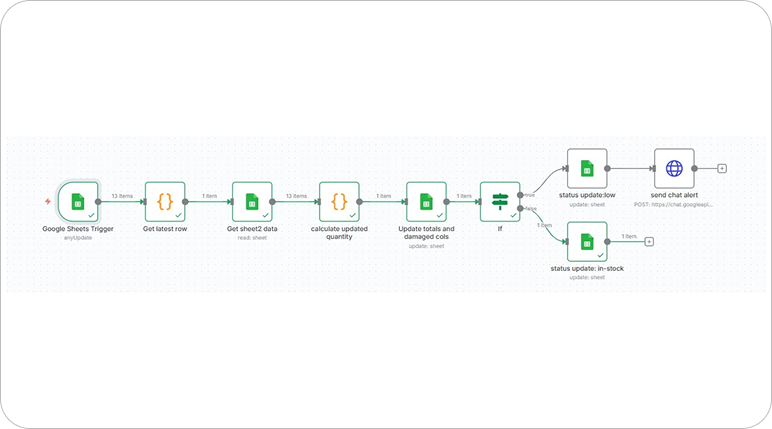
A fully automated workflow that connects: Google Sheets, n8n, Google App Script, Google Chat. This system ensures that every stock movement is captured, processed and reflected in the master inventory sheet instantly.
How Does It Work?
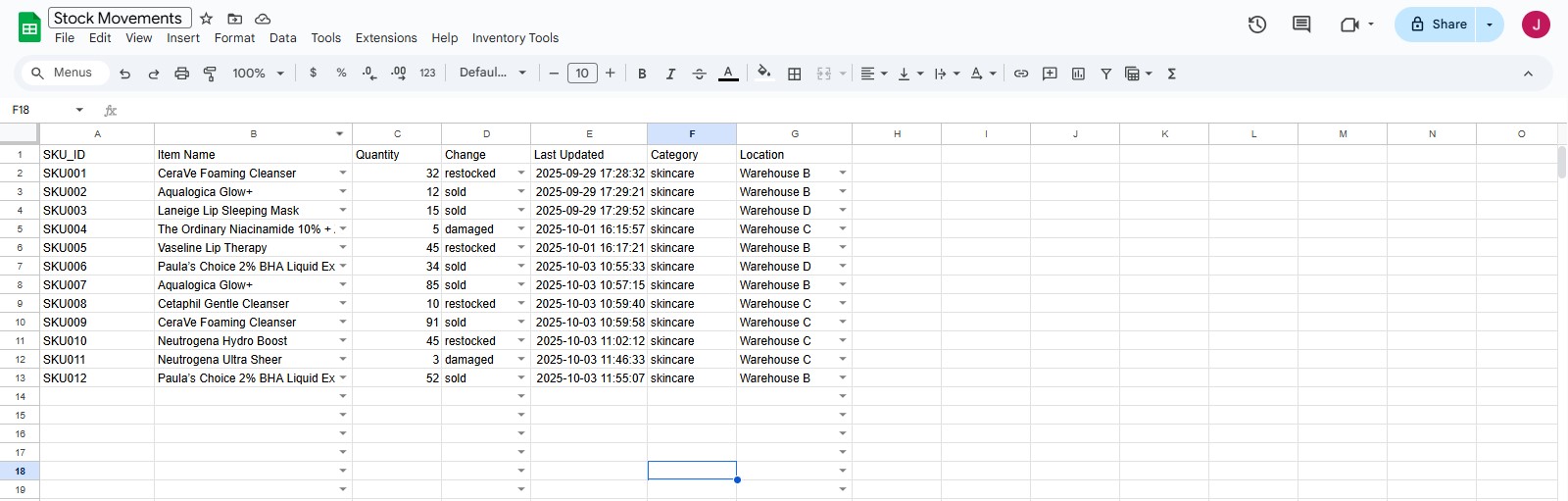
Step 1: Smart Stock Entry (Sheet1)
- Users log stock movement inside Google Sheets (Sheet1) with dropdown-enabled fields:
- Using Apps Script automation:
- This ensures faster and structured data entry.
Item Name (13 skincare products)
Quantity
Change Type (Sold, Restocked, Damaged)
Warehouse Location
SKU_ID is auto-generated dynamically
Category auto-filled as “Skincare”
Timestamp auto-stamped
Dropdowns remain dynamic and error-free
Step 2: Automated Workflow Trigger
- When a new row is added in Sheet1, n8n’s Google Sheets Trigger activates
- A Code Node fetches only the latest stock movement entry
No manual monitoring required.
Step 3: Match with Master Inventory (Sheet2)
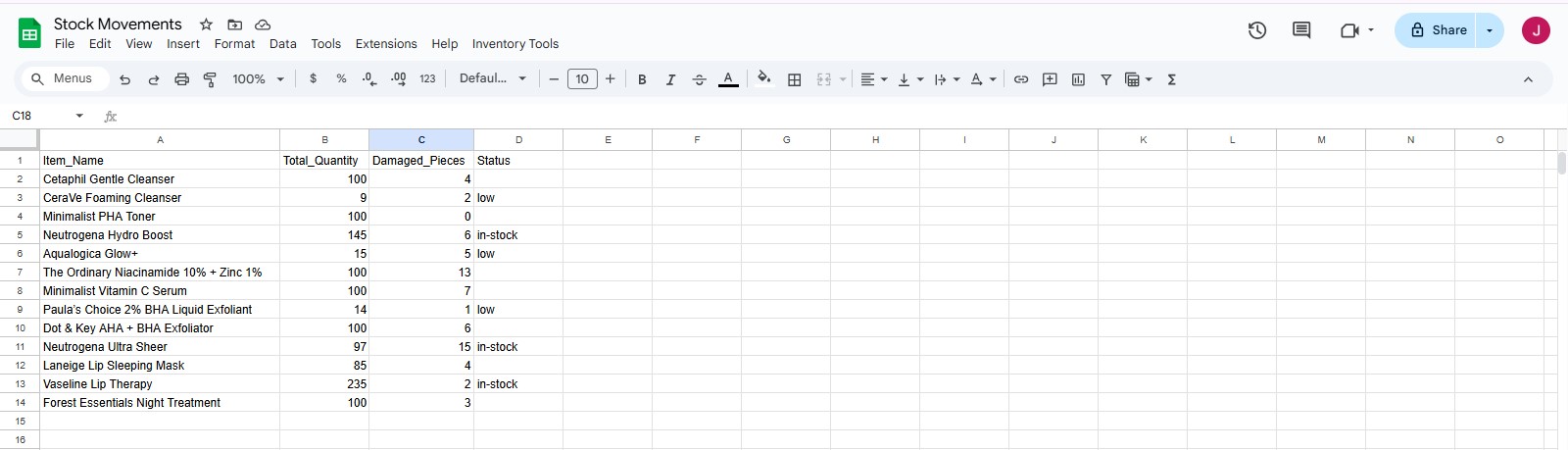
- The workflow retrieves Sheet2 (Master Inventory) which stores:
- A Code Node matches the latest entry with the correct product.
Item Name
Total Quantity
Damaged Pieces
Stock Status (In-Stock / Low)
Step 4: Inventory Calculation & Update
- Based on the “Change Type”:
- The updated structured data includes:
- Sheet2 is automatically updated with new totals.
Sold → Subtract from total quantity
Restocked → Add to total quantity
Damaged → Increase damaged count & reduce total quantity
Item Name
Updated Quantity
Updated Damaged Count
Action Taken
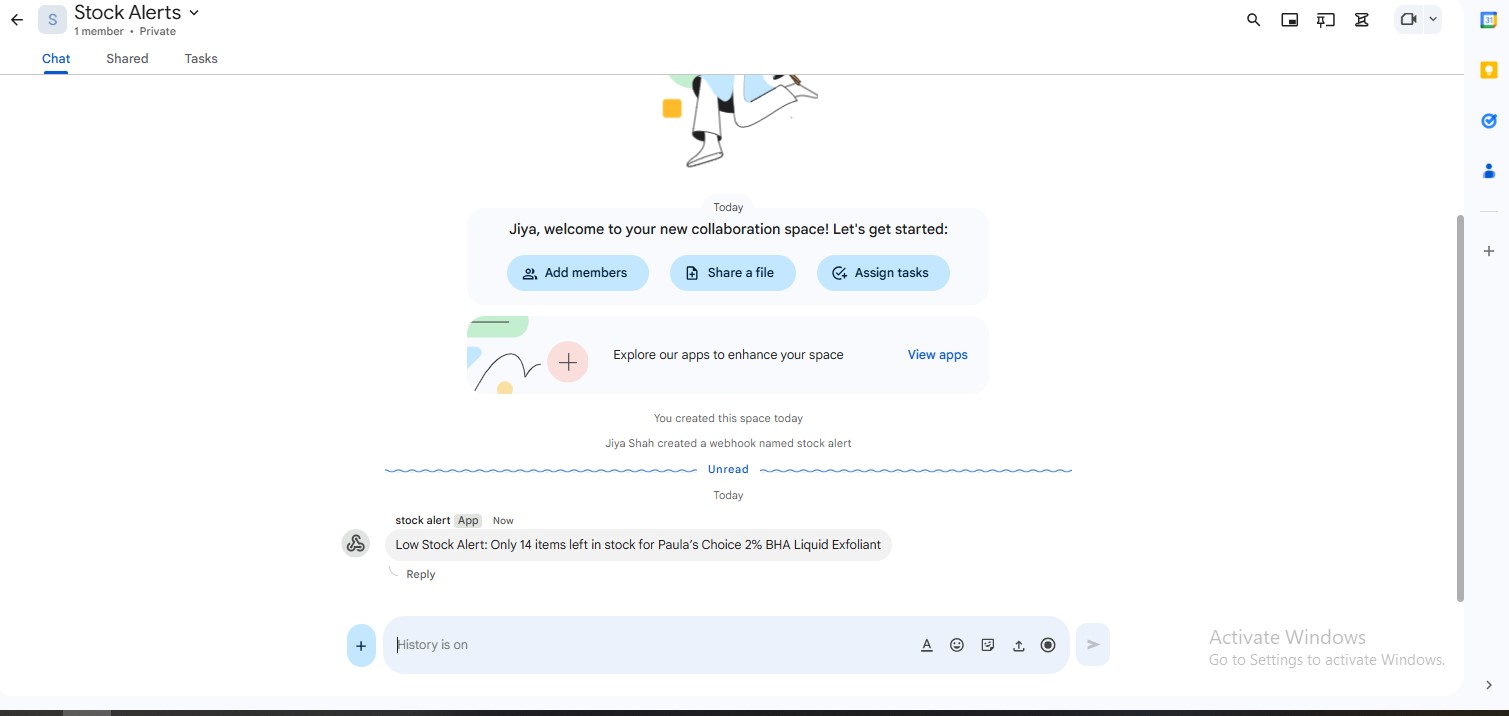
Step 5: Stock Status Check & Alerts
- A Switch/If node evaluates stock levels:
- When stock becomes low:
- No manual stock monitoring required.
If Quantity < 20 → Status marked as “Low” Else → Status marked as “In-Stock”
An instant alert is sent to Google Chat Space
Inventory team gets notified in real time
Technology Stack Included
Key Benefits
Real-time inventory synchronization
Automated SKU & timestamp generation
Accurate tracking of sold, restocked & damaged goods
Automatic low-stock detection
Instant warehouse alerts
Structured master inventory sheet
The Solution Is Ideal For
Download The Case Study
You’re one step away from building great software. This case study will help you learn more about how BMV System Integration helps successful companies extend their tech teams.
Enter Your Detail
Closure
The n8n Inventory Tracker Bot transforms traditional spreadsheet-based stock management into a smart, automated system.
By eliminating manual calculations and enabling real-time visibility, businesses can prevent stockouts, reduce errors, and improve operational efficiency.
This solution ensures that inventory management is no longer reactive but proactive, structured, and scalable.
