
Introduction
Businesses juggle multiple tasks throughout the day that even creates the chances of hassle and errors. Teams require work flows that works automatically, tools that speak to one another, and operations that scale without more people. That’s where n8n comes in.
n8n lets you automate workflows ranging from the easy stuff like your tasks to the more complex processes and can, of course, operate all applications side by side.
Whether you are looking for team productivity, increasing automation or an easier way to deliver your work avoiding any errors and hassles. Now you can have all of it on one platform that is n8n and it is a tool that helps in increasing the productivity of business and reduce costs of processes by automating it.
What is n8n?
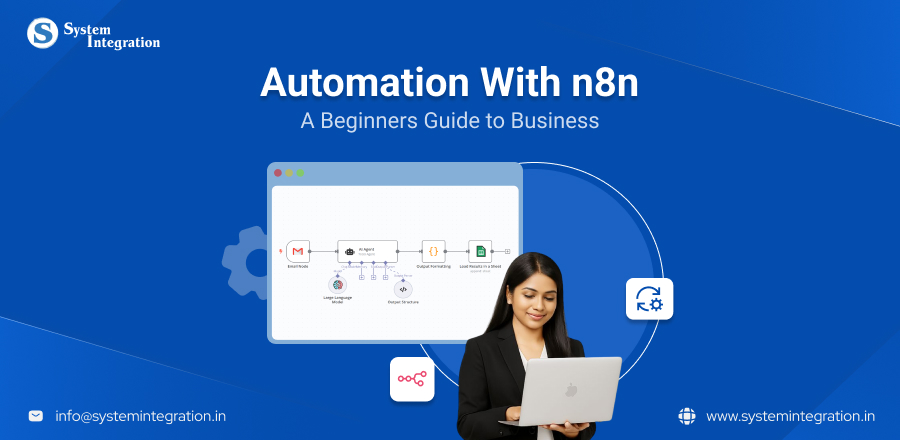
n8n is a workflow automation tool that connects your apps, services, and databases without you needing to write a single line of code. Unlike to traditional automation tools, n8n lets users determine precisely how data should move between systems.
n8n is a node based editor. Each node, like an action or trigger, performs specific tasks. Users can string together these nodes to automate anything, from simple tasks such as sending notifications to complex, multi system workflows that involve databases, AI models or custom APIs.
The extendability of n8n is one of its main advantages. Additionally, businesses can implement n8n on their own infrastructure due to its open source nature and support for self hosting, guaranteeing increased security, adherence to data protection regulations, and long term cost effectiveness.
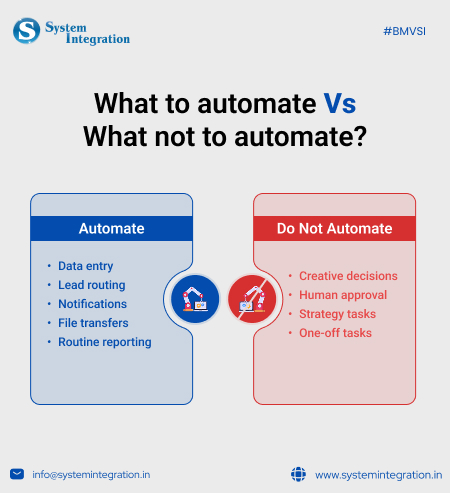
Tips to Assist You Decide What To Automate
Begin With Getting The Repetitive Work Done
If a task makes your team think, Why are we still doing this manually? or consuming a lot of their time, it’s an obvious target for automation.
- Examples: inputting data, emailing routine messages, keeping records up to date.
- Why it works: repetitive tasks consume cognitive resources and introduce needless mistakes. Automating those tasks helps to eliminate distractions and also helps clear your mental focus for the important work.
Seek Work that has Specific & Rule Based Steps
If any process in your office can be broken down into predictable steps which are repeated daily and make your team feel numb then it must be automated.
- Examples: routing support tickets, assigning leads, dispatching approval notifications.
- Why it works: Tasks that are rules based don’t require human judgment. Automation takes care of them perfectly, which in turn decreases human decision fatigue.
Automating Human Error Prone Tasks
If a work item is consistently plagued by human errors, it should be automated.
- Example: Data entry mistakes, email routing issues and much more.
- Why it works: Automation gets rid of these all human mistakes to guarantee accuracy, especially in processes where it counts.
Focus on Processes That Have an direct Impact on Revenue
Anything that impacts conversions, sales cycles or revenue retention in your workflow should be made automated.
- Examples: lead nurturing, abandoned cart follow up, subscription renewals.
- Why it works: Speed and consistency are most useful to revenue impacting tasks. It keeps the sales engine running behind the scenes, with no manual interference.
Top Real World n8n Automation Use Cases for Business (SMBs & startups)
Intelligent Lead Capture Through n8n Automation
automate a lead capture and nurturing system. A process commonly done but one that is often done with far too many prospects falling through the cracks in many sales and marketing teams. And when you see n8n vs Zapier vs Make and you know that the open source nature of n8n allows it to be a perfect companion for creating intelligent, fail proof lead capture pipelines that minimizes errors.
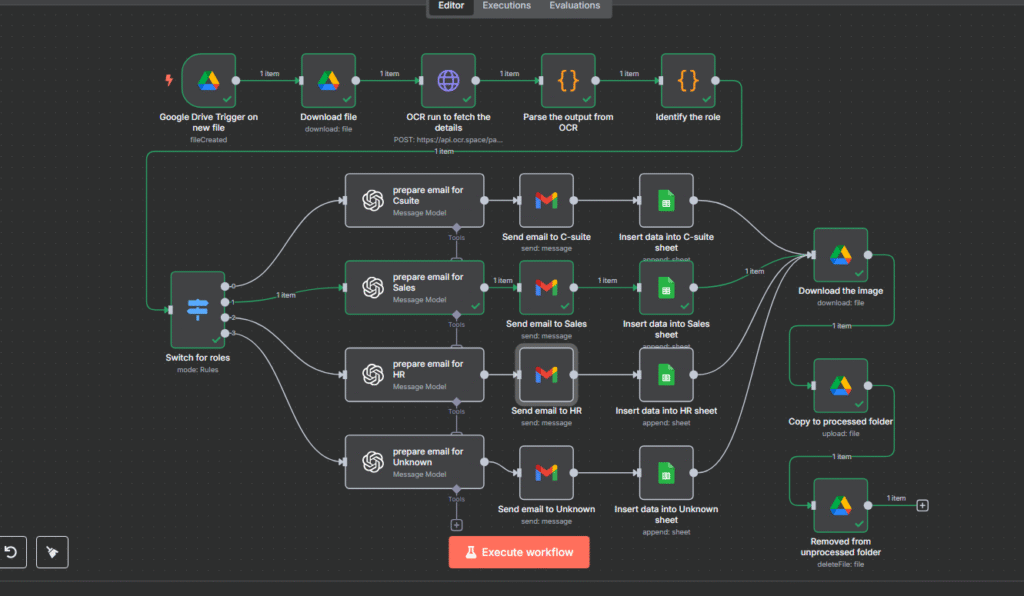
The workflow: Lead Capture with Webhook → Enriching Lead Data → Store Lead in CRM → Email Team and Inform Them.
Why automate it?
By doing things like automating data entry, email follow-ups and updates to CRM systems, companies can significantly reduce the amount of manual labor they say they need. This allows teams to work on strategic activities and become less dependent on expensive third party tools. The payoff is swifter turnaround and slimmer overhead costs.
Workflow Engine → n8n (self-hosted or cloud)
Web Form → Frontend HTML + JS, third party form builder
Data Enrichment API → Clearbit API
CRM Integration → HubSpot (or Zoho, Salesforce)
Email Service → SendGrid (or Mailgun, Gmail API)
Team Communication → Slack or Microsoft Teams
Hosting (optional) → Docker / DigitalOcean / AWS to deploy n8n
From Slack To Summary automate Weekly Work Reports
n8n can automate the creation of weekly work reports from Slack messages by summarizing channel activity. This connects Slack with the open AI, which then summarizes the message from a specific channel. This automated message is then sent or reported to another Slack channel or sometimes stored in the spreadsheet.
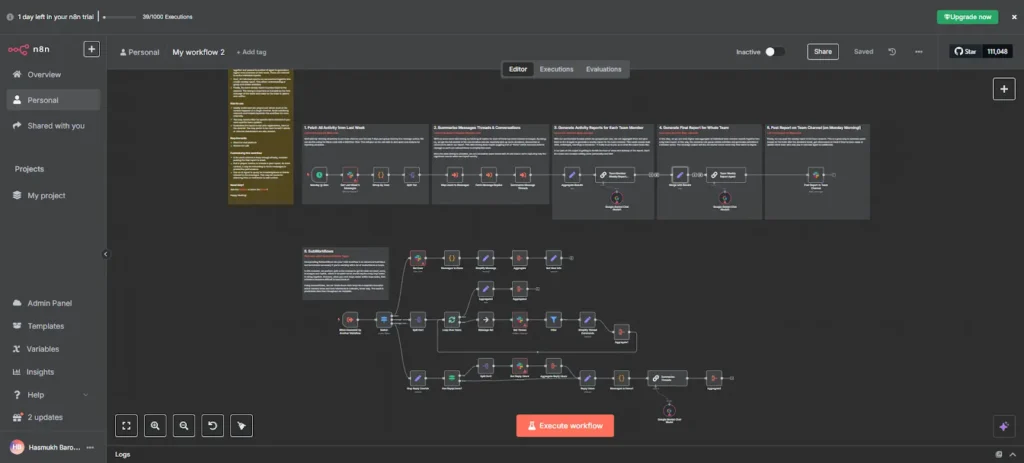
The workflow: To Trigger Weekly → n8n and Slack Integration → Summarizing The Creation with AI Abilities → Sends The Report To Various Channels
Why automate it?
n8n helps significantly reduce the amount of time spent on manual reporting by automating workflows. It enables users to connect various applications, automate data extraction and assist in generating reports with minimum efforts.
n8n Cloud → manages the automation workflow
Slack API → Supported Endpoints Messages thread
Google Gemini API → Interpretation and summarization AI engine
Your HR Helpdesk Powered By AI
The HR Assistant Automation is an AI system that offers support to HR. When they bother the bot in Google Chat, they get an instant answer straight from official HR documentation. This tool provides immediate, precise and standardized HR answers, autonomously by putting n8n workflow automation to work.
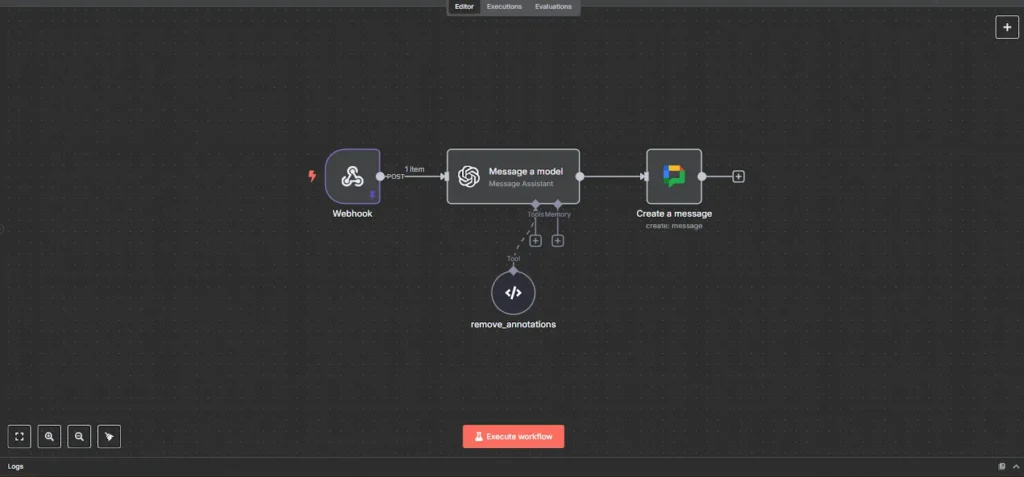
The workflow: Employee Ask A Question → Trigger Via Google Chat With n8n → AI Agents Processes The Query → Response Cleanup → Instant Response in Chat
Why automate it?
Policy information is available 24/7 for any kind of requirements without any hindrance in access for Employees. You can rely on solutions, which is because they always work if you are referencing with your documents only.
N8n tool → Open source workflow engine
Google chat bot → Messages counting and personalized response auto replies
OpenAI assistance API → It cross-validates the information from PDF and responds
Custom code block → It strips the reply before sending
Google chat API → It automatically scans your user messenger and replies to all conversations, no need to reply individually.
Support Ticket Triage System
The support ticket triage system is used to classify the inquiry in the most important to least important manner ensuring it assists the team to manage the large volume of data smoothly. This workflow automates sending the follow up emails and the support tickets, capturing the response via google form in real time.
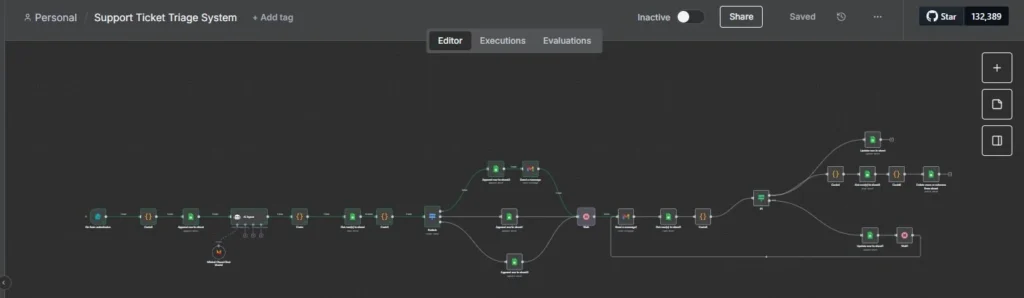
The workflow: Form Submission Trigger → Ticket Classification & Priority Assignment → Ticket Storage in Google Sheets → Follow-Up Email Automation → Response Capture from Google Sheets → Status Check & Conditional Logic → Automated Ticket removal & Changes in Status
Why automate it?
The full Work Flow automatically watches tickets and brings them up to date, no one will miss any call. It cuts out repetitive work, like delegated relationship tracking, follow-ups, or spreadsheet cleanup, and lets you spend time on activities where you can add more value.
Tech stack needed for it
n8n Cloud → Workflow automation platform
Google Sheets → Stores pending tickets and pending responses
Code Node → Implements logic to classify, match, and delete tickets
Gmail Node → Follow-up requests are sent via email with Google Form link
Wait Node → Controls follow-up timing
AI Agent Node → Aids ticket priority classification
How to Get Started With n8n Automation?
Select How You Want To Install n8n
Option 1) n8n Cloud
It is one of the simplest and fully managed solutions provided by the creator of n8n. You simply have to sign up for an account log into it, and then you can directly start building your workflows immediately, without worrying about hosting, installation and server maintenance.
Option 2) Self Host
This is the best option for any business who prefer full control over their data and workflow and liked deep customization throughout the process. Furthermore, you can self host n8n in 4 different ways:
- Docker
- Node package manager
- One click deployment
- Bare metal server
Overall, businesses can install n8n through n8n cloud or self hosting, depending on their use cases, their requirement and scalability and the technical comfort level.
Explore The Node Library
- n8n has hundreds of nodes, each is equally effectively.
- Trigger nodes – start the workflow(Webhooks, app specific trigger)
- After the trigger, add action nodes to perform specific tasks. These can be integrations with other apps(e.g. Google sheets, OpenAI, Slack).
Connect The Logic
- The workflows in n8n feel visual and natural.
- You drag lines between nodes to literally demonstrate how data is flowing.
- Drag line of one node’s output into another’s input node, defining the flow of data and logic within your workflow.
The fun part? Watching that data go, when you hit Execute.
Test As You Build
- For each node, you will need to configure its settings, such as connecting credentials for external applications or defining parameters for data processing.
- You can test your workflow while creating it to ensure its functionality as expected. Once you verify it, activate the workflow to enable it to run automatically based on its trigger.
Wrapping Up
n8n is a workflow automation tool that connects your apps, services, and databases without you needing to write a single line of code. Additionally, businesses can implement n8n on their own infrastructure due to its open source nature and support for self hosting, guaranteeing increased security, adherence to data protection regulations, and long term cost effectiveness.
If you are looking to collaborate with a firm that can automate your business workflow smoothly to scale it, then look no further as BMV System Integration an AI software development company is one of the best for this purpose. We help you automate your workflows that can increase your productivity and scale your business.
FAQs
Begin with repetitive, rule based tasks that take up a lot of time but do not rely on very deep human judgment. A straightforward method to think about what you should automate is:
- Is it repetitive?
- Is there a principle or method behind this?
- Does it imply the need to transfer data among different tools?
- Is it commonly postponed because of manual take out?
No, n8n doesn’t require coding, as it is a no code/low code platform that uses a visual drag and drop interface for building workflows. You can connect prebuilt nodes to automate tasks but for advanced automation it also offers the option to add custom code when needed.
The budget for adopting n8n automation ranges from free to self hosted version to custom enterprise pricing, with cloud hosted plans as mentioned on its official website.
Yes SMBs can definitely integrate n8n automation into their workflows. N8n is specifically designed to be an accessible, flexible, and cost effective solution for businesses without large IT departments.
Yes, n8n Cloud follows encryption and security best practices of the industry. And if you run n8n on your server, then your data never leaves it, providing you with full control and maximum security.