

Introduction
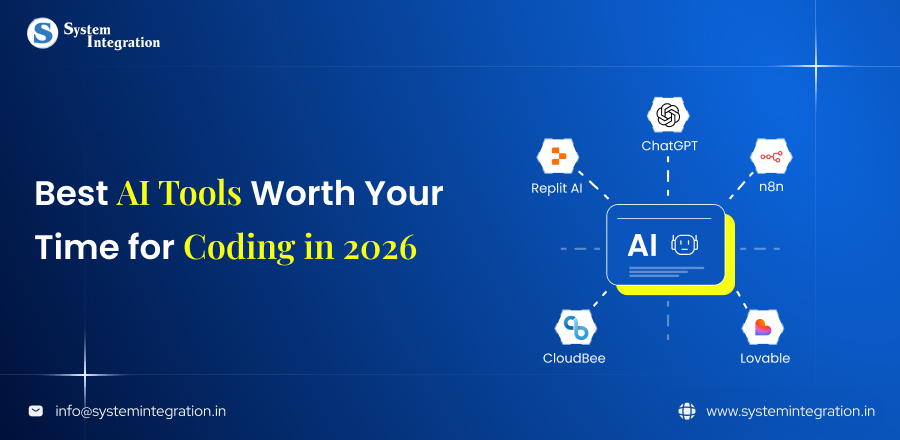
Staring at your screen for locating that error that appeared out of nowhere, and now it’s taking a long time to fix, every developer is familiar with this feeling. Fortunately, coding in 2026 didn’t have to be a war between you and your keyboard. AI tools have gradually shifted from “nice-to-have” things to helpers that can write cleaner code, find bugs faster and even tell us why something didn’t work.
From speeding up time to develop, enhancing collaboration and code quality, AI-powered tools are revolutionizing how software developers design, develop and test code. In this post, we will explore AI tools every developer should try in 2026 which are practical, powerful, and really worth adding to your list.
Why AI Tools Matter For Developers?
⇨ Improves Code Quality And Consistency
It means that AI is supporting developers to write clean, consistent and error-free code with adherence to a coding standard and detecting issues as early as possible. They provide instant recommendations, help avoid mistakes, and maintain consistent code practices throughout the project, which in turn enables development of more stable and easier to manage apps.
⇨ Assist In Accelerating Project Delivery On Time
⇨ Enhancing Collaboration And Proficiency
⇨ Decreases redundant tasks and Developer Fatigue
⇨ Supports Smarter Decision-Making and Optimization
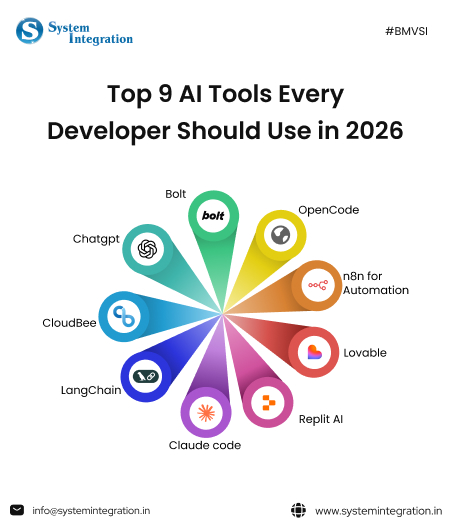
Top AI tools Every Developer should Try in 2026
Claude code
Claude Code is an AI codebase assistant for deep thinking, clean architecture, and reliable code generation. It is especially strong in managing large codebases and thus perfect for enterprise level quality software development projects that run for a longer time.
Key features
- Great ability in very long and complex code context
- Generates clean, well-structured, readable code
- Good at debugging and refactoring of workflows
- Well suited to enterprise and management-oriented projects
Replit AI
Replit AI transforms your browser into a world class development environment powered by AI. By writing, running code to debugging and deployment. It accelerates developers to build faster without changing tools.
With its authoring sharing model and cloud-native design philosophy, Replit AI is ideal for prototyping, learning with others, and building with a team. In minutes, you can transform from an idea to an app.
Key features
- Instant coding without local setup
- AI-assisted debugging and explanations
- Built-in hosting and deployment
- Real time collaboration with teams
Lovable
Lovable will help you turn your product ideas into applications, built with AI powered workflows. It fills a design to logic and deployment gap and allows the designers build user ready products with ease.
It is perfect for startups and developers who want to move fast without sacrificing user experience. Lovable allows you to concentrate more on product thinking than on dealing with repetitive work of coding.
Key features
- Turn ideas into live apps at an accelerated pace
- Simplifies UI and backend integration
- Reduces development time for MVPs
- Ideal for non-technical collaboration
n8n for Automation
n8n provides a hybrid visuals, low-code platform that accelerates prototyping and integration while offering deep technical control and customization through features like embedded JavaScript/Python and self-hosting options, and also API access.
Key features
- Speedy integration and prototyping
- Code-level control
- API & webhook flexibility
- Data ownership and self-hosting option
OpenCode
OpenCode is a developer-friendly AI tool designed to be open source, transparent and flexible. It provided support for multiple languages and frameworks as well as a more customizable AI-assisted development experience.
Key features
- Open source and customizable
- Multi-language and framework support
- Easy integration into existing workflows
- Community driven enhancements
Bolt
Bolt is intended for speed development and it allows developers to scaffold, build and integrating application faster. It is especially useful for frontend and full-stack development.
Bolt makes repetitive work easy. This library allows you to build codes in a minute! It is a go to tool for quick builds and speedy integration.
Key features
- Fast project scaffolding
- Automates repetitive coding tasks
- Ideal for full-stack development
- Boosts productivity and delivery speed
Chatgpt
ChatGPT is an advanced AI model designed to help developers with coding, documentation, debugging and ideas generation. It can generate human like writeups and example code across hundreds of technologies and languages.
Developers utilize ChatGPT as a flexible assistant, whether it’s to write code and tests, familiarize themselves with new frameworks, or refine existing algorithms.
Key features
- Fast to create code for iOS and Android
- Aids debugging and error explanation
- Aid in the writing of documentation and tests
- Its chat formate makes it easy interface to work on.
CloudBee
CloudBee is an AI powered cloud development wizard to help you build, deploy and manage applications in the cloud. It works with popular cloud providers and provides a way to automate various infrastructure tasks.
With its simple workflows, it eases the cloud complexity helping teams to scale rapidly.
Key features
- Automates cloud deployment
- Optimizes cloud performance and cost
- Enforces infrastructure best practices
- Integrates with major cloud providers
LangChain
LangChain is a developer framework that simplifies the process of developing applications with LLMs, especially those requiring chaining multiple prompts, data or APIs. It offers facilities to orchestrate model calls, memory and external data sources.
Key features
- Simplifies integrating LLMs into apps
- Manages chained memory and externalizing data out.
- Supports modular and scalable architecture
- Perfect for chatbots and search tools
How to Choose The Best-Fitting Tool?
1) Have a clear motive
Working with any AI tool without knowing your goal or not having a clear motive is going to increase your hassle and also waste your time, instead of lowering your efforts.
Thus, it’s very vital for any developer to know your goal on which you want to focus. If you want to develop a website and not an app, pick the tool that is proficient in developing AI software.
2) Assess Ease of Use & Learning Curve
A powerful instrument is no good if it’s too complicated to grasp or takes months to master. Select a tool at hand that matches your expertise and provides an intuitive learning curve, decent documentation and active tutorials. This will enable you to go faster without losing your mind over something stupid.
3) Check Integration & Compatibility
The ideal tool is one that can be simple effortlessly and will fit into your tech stack, frameworks, APIs or third party services. Low compatibility means more development, extra costs and workflow interruptions.
4) Analyze Scalability & Performance
Always think long-term. Your tool of choice should handle more data, users or features as your project picks up. The scalable app provides a solution that does not require people to migrate all the time, enabling it to always perform as needs grow.
5) Analyze cost-effectiveness and support
Before using any tool, make sure that you check its pricing and whether it fits your needs. As each tool different offer different service and has different pricing
Conclusion
AI-based tools are transforming the way developers create, test and deploy applications in 2026, and software development has never been faster, smarter or more productive. From smart code assistance to cutting-edge automation platforms, such tools enable web developers not only to help minimize manual labor but also enhance quality of code or keep pace with fast-changing tech world.
For businesses wanting to maximize these advancements, collaborating with an AI software development company can be a game changer. These are the type of companies that bring the right AI tools together with good development practices to deliver solutions that can scale and be future-proofed for today’s business needs.
FAQs
It greatly raises the reliability by automating complex tasks, detecting subtle errors faster, predicting failures before they happen and ensuring the consistency.
AI tools can be used securely in the enterprise environment, but it needs the implementation of robust, AI-specific security measures and frameworks to protect the customer’s sensitive data.
Here are some of the top AI tools for developers in 2026 which include AI code assistants, ML development frameworks, automation platforms and more that help to increase productivity, better quality code and faster deployment.
With AI tools, many routines work, such as code writing, debugging, testing and documentation are automated which is freeing developers to concentrate more on solving problems, system architecture and tolerance.
Yes, there are also plenty of AI tools in 2026 that cater to all levels of expertise: from easy-to-use platforms for newbies to advanced offerings for pro and enterprise-level development.
Project requirements, supported programming languages, scalability, integration capabilities, security features, and overall cost-effectiveness should all be taken into consideration when evaluating AI tools.