
0–95%
improvement in response accuracy compared to generic chatbots
0%
reduction in AI hallucinations
0%
faster user query resolution
Seamless
multi-turn conversations with contextual continuity
Fully Automated
document ingestion (zero manual intervention)
PROJECT OVERVIEW
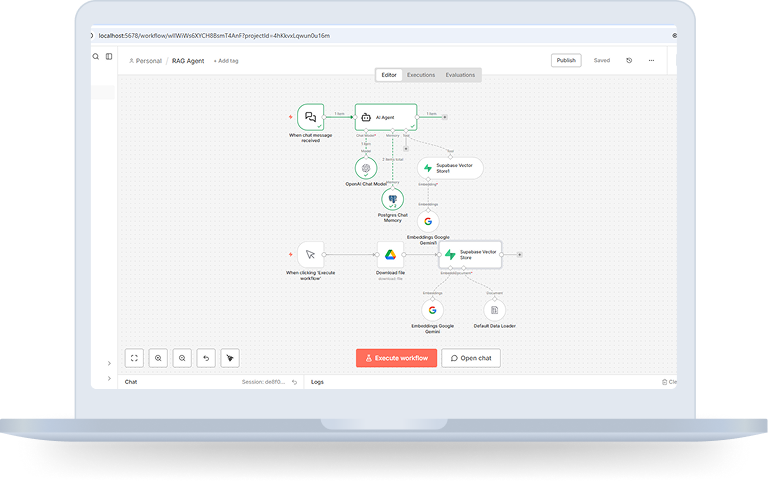
We developed a Retrieval-Augmented Generation (RAG) based AI Assistant using n8n to answer user queries strictly based on official Golf Rules documentation stored in Google Drive.
The system automatically processes the document, converts it into vector embeddings using Google Gemini, and stores them inside the Supabase Vector Store. During conversations, relevant document sections are retrieved and passed to the OpenAI Chat Model for grounded response generation while maintaining long-term memory using PostgreSQL.
The result is a scalable, document-aware AI assistant with reduced hallucinations and persistent context handling.
Objectives

Build a document-aware AI assistant for official Golf Rules

Ensure answers are grounded in source documentation

Enable long-term conversational continuity

Automate document ingestion and vector storage

Reduce hallucinations using RAG architecture

Create a scalable, low-code AI workflow
The Challenge
While building a document-aware AI assistant, several challenges needed to be addressed:
THE SOLUTION ARCHITECTURE (HOW DOES IT WORK?)
To overcome these challenges, we implemented a Retrieval-Augmented Generation architecture that ensures responses are both intelligent and verifiable.
How does it work?
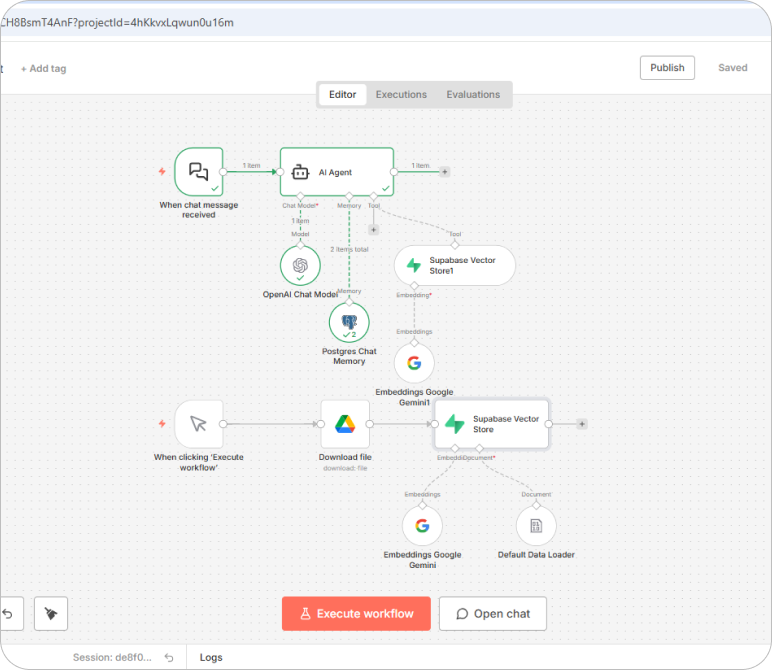
Step 1: Document Upload & Retrieval
- The Golf Rules PDF is uploaded to Google Drive.
- n8n automatically downloads the document using a workflow trigger.
Step 2: Text Extraction & Chunking
- The Default Data Loader extracts text from the PDF.
- The content is split into optimized, searchable chunks for better retrieval accuracy.
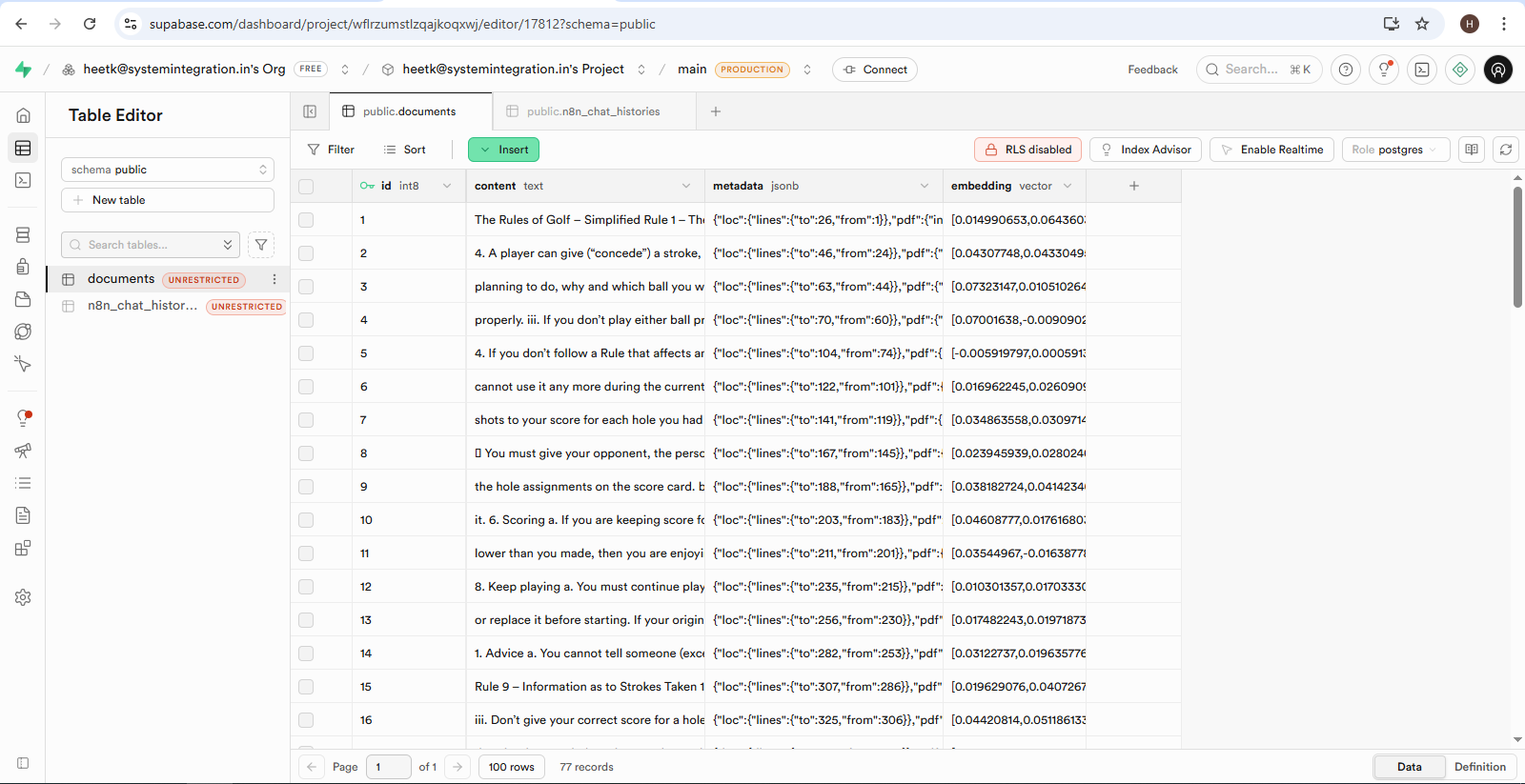
Step 3: Embedding & Vector Storage
- Google Gemini Embeddings convert text chunks into high-dimensional vectors.
- These vectors are stored in Supabase Vector Store for similarity search.
Step 4: User Query Processing
- A user sends a message through the n8n Chat interface.
- The system converts the query into embeddings.
Step 5: Intelligent Document Retrieval
- The embedded query is matched against stored vectors.
- The most relevant document chunks are retrieved.
Step 6: Context & Memory Injection
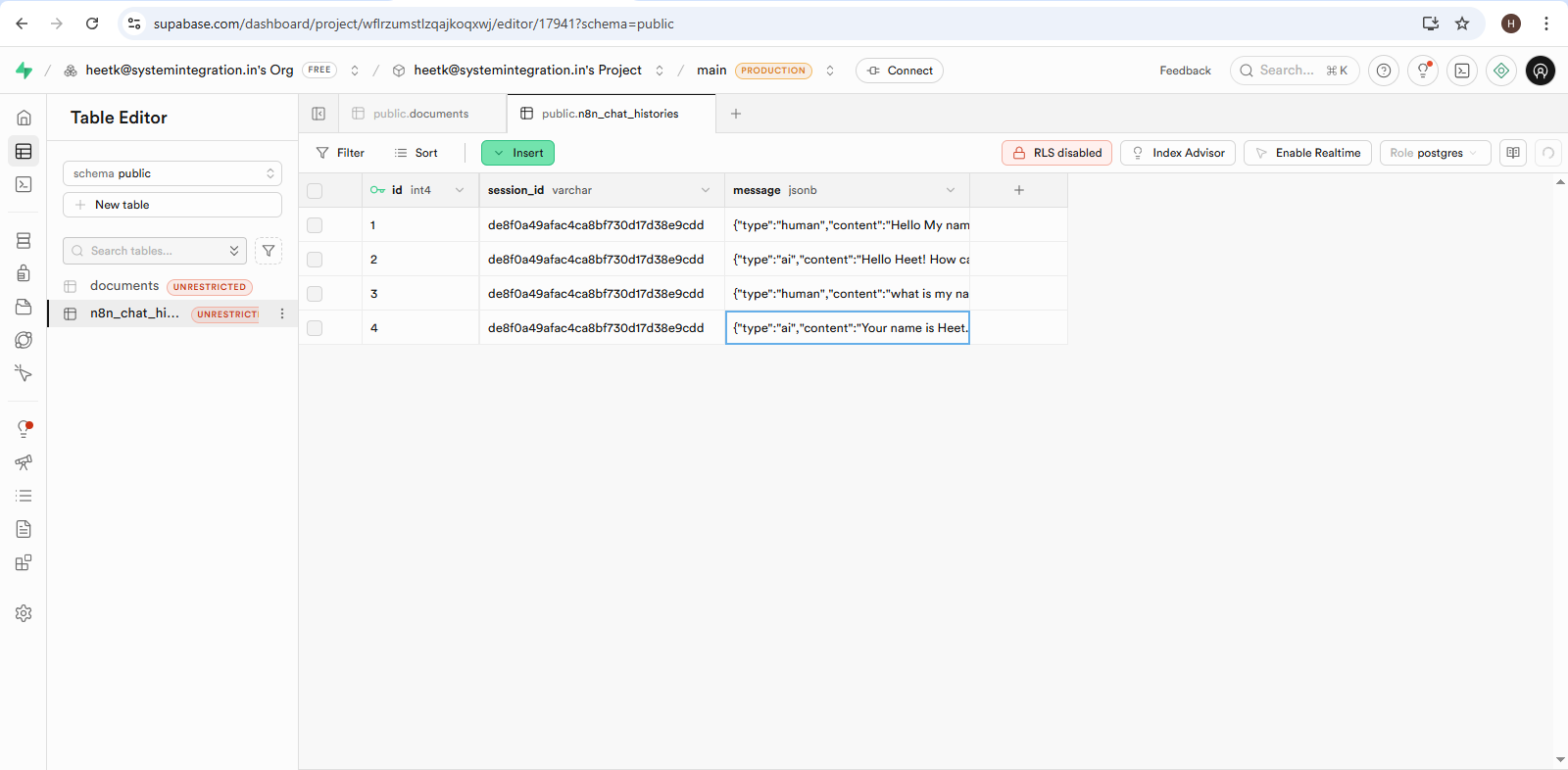
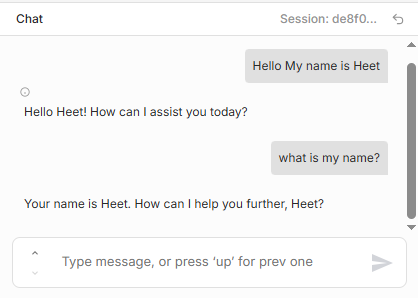
- PostgreSQL Chat Memory injects past conversation context.
- Ensures multi-turn conversations remain coherent.
Step 7: Response Generation
The OpenAI Chat Model generates a grounded response using:
- Retrieved document chunks
- Conversation memory
The response is delivered to the user and stored for future context.
Technology Stack Included
Key Benefits
Accurate, rule-based answers sourced from official documentation
Reduced AI hallucinations using RAG architecture
Persistent chat memory across sessions
Fully automated ingestion and embedding pipeline
Scalable vector-based semantic search
Low-code and maintainable workflow using n8n
The Solution Is Ideal For
Download The Case Study
You’re one step away from building great software. This case study will help you learn more about how BMV System Integration helps successful companies extend their tech teams.
Enter Your Detail
Closure
This implementation demonstrates how businesses can combine automation, vector search, and conversational AI to build reliable, scalable, and document-aware systems.
By leveraging workflow automation, semantic search, and LLM intelligence, we created a production-ready AI assistant that ensures: Accuracy, Context retention, Automation efficiency, Scalability.
The architecture is flexible and can easily be extended to other industries, departments, and documentation-heavy environments.
