Introduction
Customer support is very important in today’s increasing market competition to retain customers. However, sometimes the customer support team can find themselves in a tough spot when there are a high number of inquiries at the same time.
Now instead of hiring more employees which is not a cost effective option, businesses can opt for n8n automation tool for the support ticket triage system.
It helps to categorize the inquiry according to the priority, like from most important to least important manner ensuring it assists the team to manage the large volume of data smoothly. This workflow automates sending the follow up emails and the support tickets, capturing the response via google form in real time.
Let’s explore in this blog, how businesses can utilize n8n for better and more efficient customer support and enhance their experience and satisfaction levels.
Why Automate Customer Support And Why Choose n8n?
An automated ticketing and help desk system reroutes customers through a more efficient workflow, especially when the number of requests is high.
Further, n8n workflow automates the entire customer support pipeline and the automation goes beyond just ticket generation. It actively handles the tasks before reaching the human agents. It focuses on:
- Automates the tasks 24/7 so that customers can expect immediate responses.
- Reduced resolution time as it automatically authorizes the initial trigger and accumulates the information.
- It frees the staff from the unproductive and repetitive tasks like answering the same basic questions.
- It helps in reducing the possible human errors and maintain the accuracy throughout the whole process.
- It furnishes low code and no code automation features for easy workflow setup.
What AI Brings To Customer Support Ticket Routing?
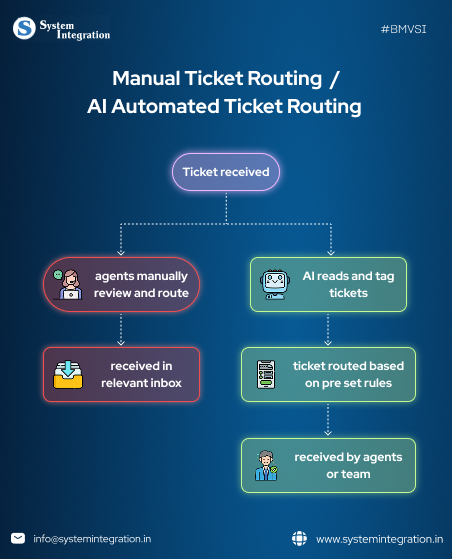
NLP for Intent Detection
NLP breaks down the search texts into simple structured data for better understanding of search intent. It helps in understanding the customer’s intent and by that it later routes the queries or calls to its specific department by understanding its priority type.
Machine Learning
It helps in redirecting the high volumes of tickets by analyzing how important those queries are and shifting it to its specific category or it even makes automated responses as per the user query type. This helps in reducing human intervention and hence less errors.
Sentiment Analysis
AI can detect the sentiments of the customer query by scanning for the keywords, phrases and the tone of the sentence. This helps in tracking the customers and further providing them with the appropriate response.
Category Prediction
After using the NLP and machine learning for analysing the search or query intent AI further assigns the ticket as per its priority and redirects it to the most appropriate support team for that query.
Tech Tools Needed For Automating Support Ticket Routing Workflow With n8n
1. n8n Cloud → for automating the Workflow
2. Google Sheets → Stores pending tickets and pending responses
3. Code Node → Implements logic to classify, match, and delete tickets
4. Gmail Node → Follow-up requests are by email with Google Form link
5. Wait Node → Controls follow-up timing
6. AI Agent Node → Aids to ticket priority classification
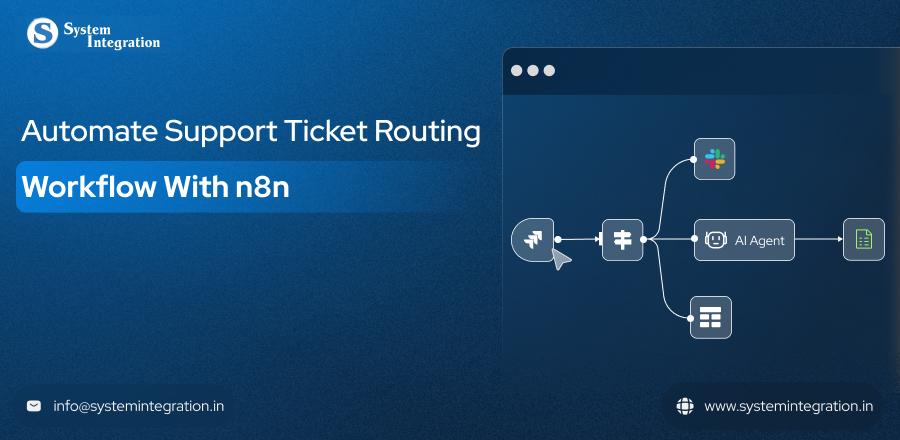
How to set Support Ticket Routing Workflow With n8n?
Triggers At Form Submission
Initiate the process when a user completes a ticket form.
The form’s contents are obtained and processed.
Categorize Tickets
Enter the already existing ticket the “que” and check for URGENT /MU (medium urgency) /QU (queue for latter) using the logic in the Code node, AI Agent.
This is used to figure out which tab within the Google Sheet “Pending Tickets” should store the ticket.
Shift Ticket in Google Sheets
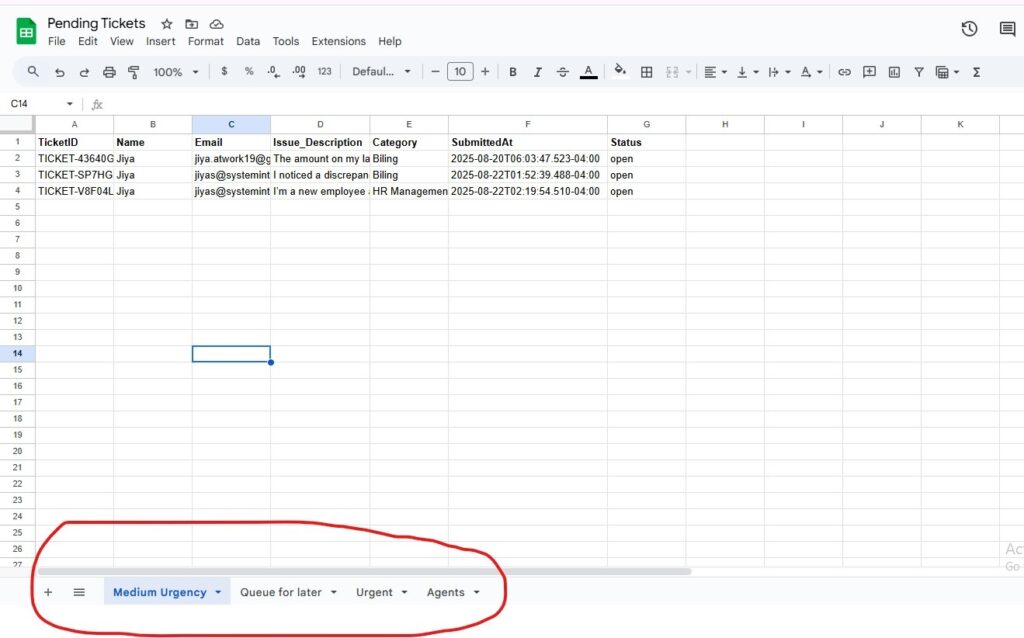
Classify the ticket and shift them in its correct tabs (Urgent, Medium Urgency, Queue for later) in the ‘Pending Ticket Sheet’ for tracking and reporting the ticket status.
Set Follow Up Email Automation
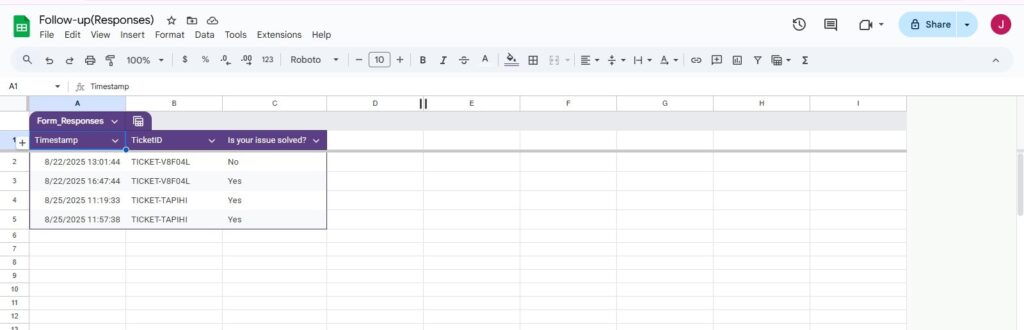
Immediately or after waiting for a specified period of time, set automated emails to the ticket owner with a follow up message.
The email contains:
- Ticket details
- A link to a Google Form for the user to verify if the problem has been solved, or they are still facing it.
Capture Responses from Google Sheets
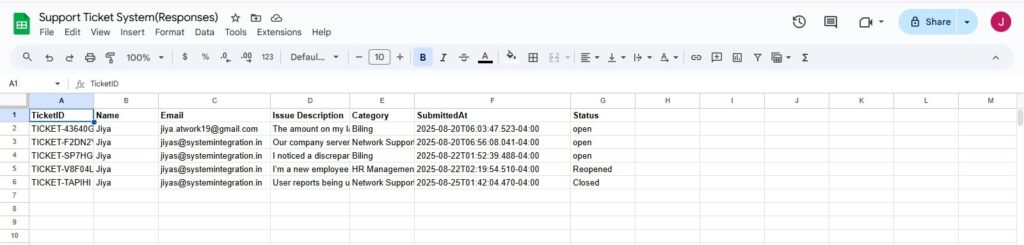
Once a follow up form (submit) is submitted (This form takes auto ticketID and user has to select just yes/no), the response is auto logged in Support Ticket System(Responses) Google Sheet.
It’s the one that grabs the most reply count for the specific ticket ID to ensure that it is the one used to follow up.
Status Check & Conditional Logic
If the answer is not yet resolved (No), the status of Response in Support Ticket System (Responses) changes to Reopened and it loops back to the follow up node to continue repeating the process until problem solved.
If the status is YES (resolved), which tab (urgent, mid urgency, Queue for later) in Pending Tickets should the ticket should be removed from?
Automated Ticket removal & Changes in Status
The row is removed from the correct sheet tab in the ticket to maintain the clear pending list.
Just in the main sheet (Support Ticket System (Responses)) the condition is changed to closed, if the answer is yes.
Factors To Take Care For Security, Privacy and Compliance
All the sensitive information of the customers are fetched for setting the automation workflow. Thus take care of security like:
- Encrypt the data in transit and at the rest.
- Mask PII before sending context to third party.
- Apply role based access control to connectors.
- Retain human approvals for any regulatory or legal communications.
Wrapping Up
Automated customer support is very important in today’s increasing market competition to retain customers. However, sometimes the customer support team can find themselves in a tough spot when there are a high number of inquiries at the same time.
This Support Ticket Triage System with n8n simplifies and automates ticket triaging, helping support teams follow up faster and update tickets accurately to maintain clear records, all of which increase team efficiency and customer satisfaction, and improve resolution time.
FAQs
n8n is a versatile tool and it can automate customer service and support and free the agents from managing high volume of customer queries and sends automated responses in real time. through its vast array of pre built APIs. it is designed to seamlessly connect and automate the tasks in your organization.
It is best for no code or low code, open source workflow that furnishes high flexibility. It supports the integration between numerous apps and services to effortless automation.
Because of its free hosting functionality and affordable cloud plans, it is not too expensive for small or medium size businesses. Businesses can easily start with an open source version.
It varies based on the plan you purchase, there are some performance limitations and availability of features.